 |
Start Netscape Navigator by
double-clicking on the icon in the Finder. |
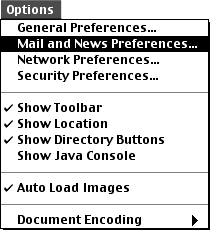 |
Go to the Options menu and select Mail
and News Preferences... |
 |
On the Appearance tab: Browser Starts With:
- Home Page:
Selected
- Location:
http://www.olypen.com/
|
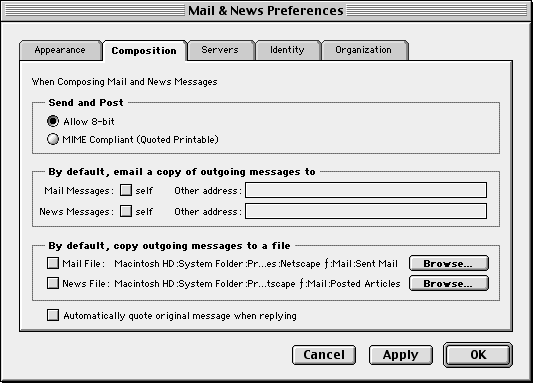 |
On the Composition tab: Send and Post:
|
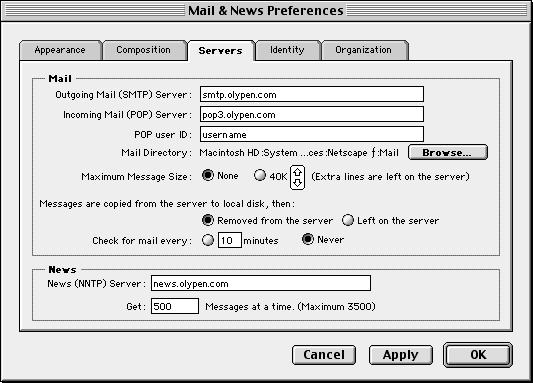 |
On the Servers tab: Mail:
- Outgoing Mail (SMTP) Server:
smtp.olypen.com
- Incoming Mail (POP) Server:
pop3.olypen.com
- POP user ID:
Your Olypen username in small letters.
News:
- News (NNTP) Server:
news.olypen.com
|
 |
On the Identity tab: Identity:
- Your Name:
Your own name in Title Case.
- Your Email:
Your Olypen e-mail address.
- Reply-to address:
Generally blank.
- Organization:
Generally blank or the name of your own company.
- Use Internet Configuration System:
NOT CHECKED.
|
 |
|





