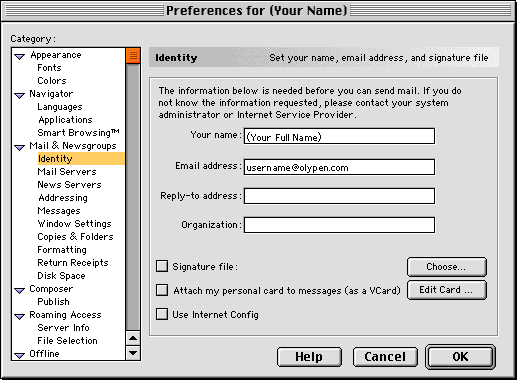
Your Name:
Should be your full name.
Email Address:
This is your username@olypen.com
The Reply-To and Organisation fields are usually left blank but you can fill these in if needed.
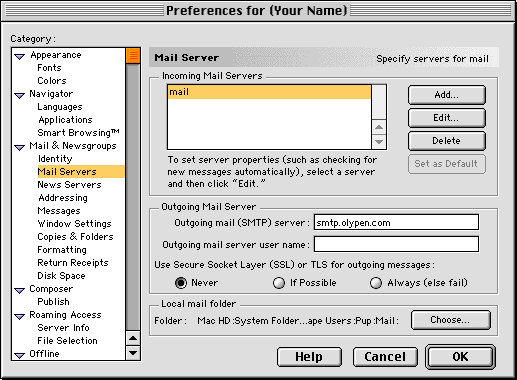
Click on Add... to create the new email account
To modify the Account click Edit..
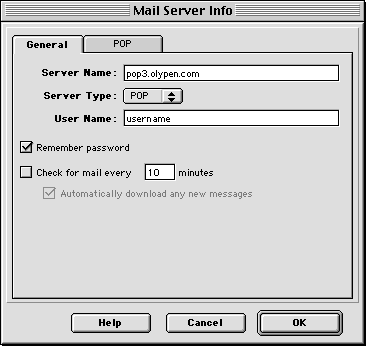
pop3.olypen.com
Server Type is POP
Username is the first part of your OlyPen email address.
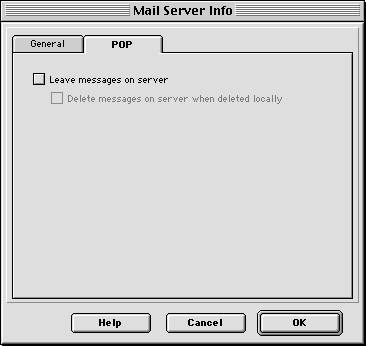
Make sure nothing is checked in here.
smtp.olypen.com
Outgoing Mail Server Username should be left blank.