 |
Run Eudora via the Start menu, or by double-clicking the Eudora
icon on the Windows Desktop. |
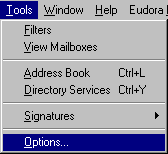 |
Go to the Tools menu and select Options... |
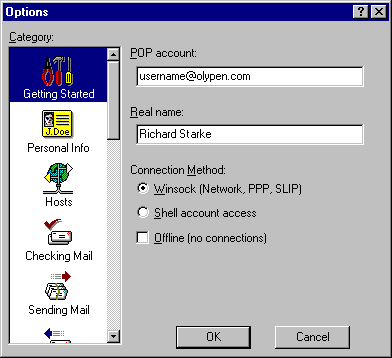 |
In the Getting Started category: Connection Method: This should be Winsock |
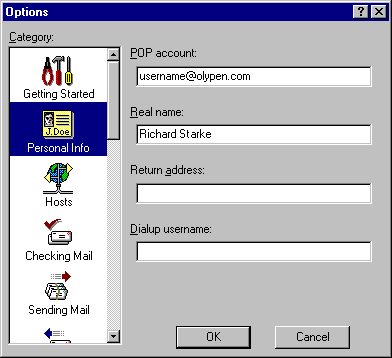 |
In the Personal Info category: POP account: Your OlyPen dial-up username followed
by @pop3.olypen.com (The pop3 part is important!)
Real name: Your full and proper name.
Return address: Leave this blank unless you wish
replies to your messages to be sent to a different e-mail address.
Dialup username: Leave this blank. |
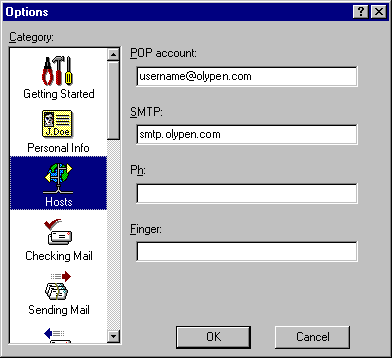 |
In the Hosts category: SMTP:
The address of OlyPen's outgoing mail server, smtp.olypen.com
Ph: Leave this blank.
Finger: Leave this blank. |
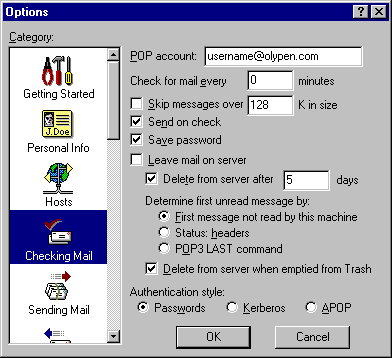 |
In the Checking Mail category: Skip messages over: If you are having problems downloading a
large e-mail message (you never should have this problem with Eudora), put a check in this
checkbox and the size (in kilobytes) of messages you wish to skip. The skipped messages
should remain on the mail server.
Save password: Don't put a check in this if you
would rather be asked for your password each time you check for new messages. |
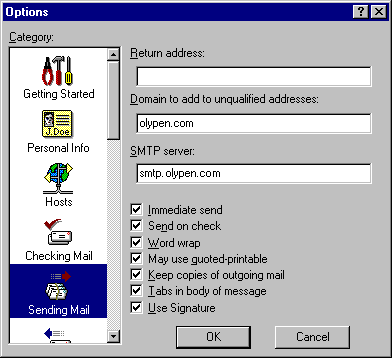 |
In the Sending Mail category: Domain to add to unqualified addresses: Putting olypen.com
here allows you to send a message to say username@olypen.com
just by typing username into the To: line of a new message. |
 |
|
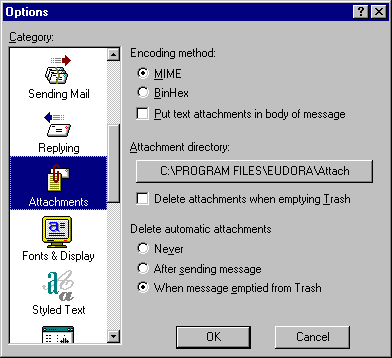 |
In the Attachments category: Encoding method: Leave this set to MIME (the Internet
Standard) unless there's a specific reason for you to do otherwise. |
 |
|
 |
|
 |
|
 |
|
 |
|
 |
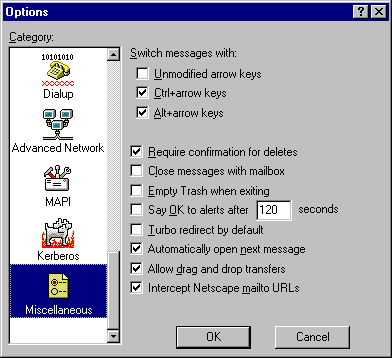
In the Dialup category: These settings only apply if you use Eudora's own dial-up software. Don't try
to use this when connecting to OlyPen. |
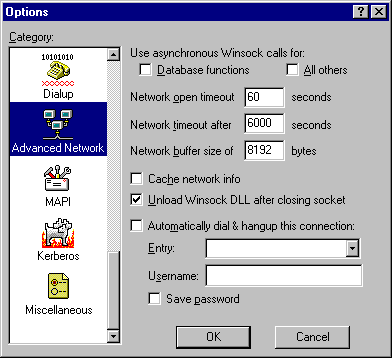 |
In the Advanced Network category: Network timeout: Set this to 600 seconds (10 minutes) unless
you're expecting some really large (>10 megabytes) messages.
Cache network info: It's generally a bad idea to
put a check in this, particularly if your modem drops out a lot.
Unload Winsock DLL after closing socket: This is
generally a good idea to put a check in. On Winsock diallers that support it, this will
cause the dial-up connection to hang-up a short time after Eudora finishes
sending/receiving e-mail. |
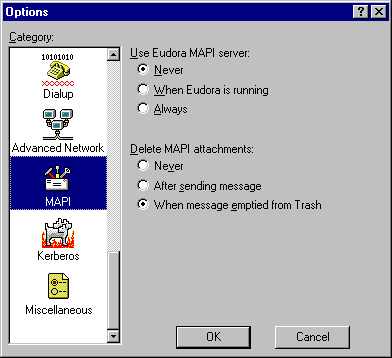 |
In the MAPI (Mail Application Programmer's
Interface) category: Use Eudora MAPI server:
Leave this set to Never unless you have a special Eudora Plug-in which requires it. |
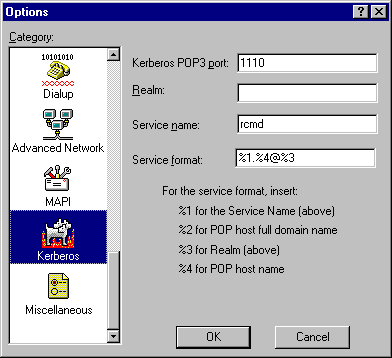 |
In the Kerberos category: OlyPen's mail servers do not support the use of Kerberos (a special
password authentication scheme). Leave the default settings as they are. |
 |
|




