Home > Support > Windows > Modems Control Panel


Are these screen shots not accurate? If so, you may not be viewing the correct version of Windows.
Please choose your version of Windows from the following:

Windows 95 - Windows 98 - Windows ME - Windows XP - Windows 2000


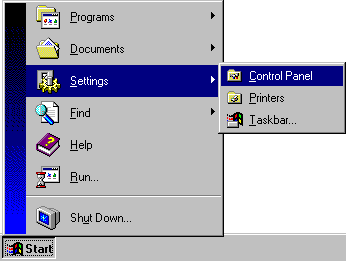
settings.gif (5397 bytes) Click on the Windows Start button and select the Settings / Control Panel option.
ico_cpl.gif (496 bytes) In the Control Panel, double-click on the Modems icon.
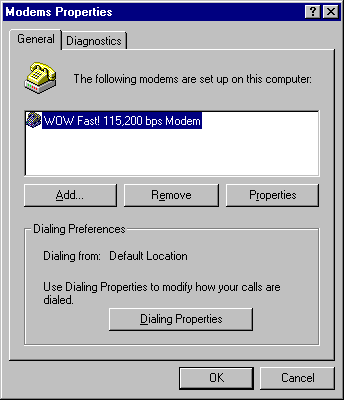
mdm_gen.gif (5865 bytes) On the General Tab:

Add...: Allows you to install a new modem driver.

Remove: Removes the selected modem driver.

Properties: Configures the selected modem driver.

Dialing Properties: Allows you to set the Country Name and Area Code your computer thinks it is dialing from, including dialing prefixes for PABX systems.

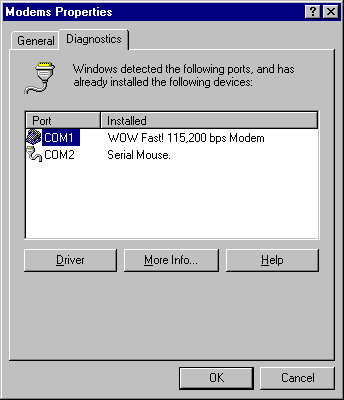
mem_dia.gif (5253 bytes) On the Diagnostics Tab: (Windows 95/98 only)

To assist in identifying your Mystery Modem...

  • Click on the COM port name beside the modem driver
  • Click the More Info... button


All Content © 2003 OlyPen